

Managing processes from initiation to completion
Users start a process by selecting an available workflow type and entering the information defined in its model. The application validates data and can populate or resynchronise information from connected systems, such as SAP, depending on the configured integration. Processes can be suspended by selecting a reason, and suspension is audited. Workflows are modelled and implemented separately by their authors to suit the organisation’s processes.
Tasks and notifications for your team
When subsequent activities are prepared, the people receiving email notifications are selected. Each message includes a direct link to the task. Forms display the fields defined for each stage, and validation is applied before the process advances. Users can enter the required information and pass work to the next stage under the conditions set by the model.
Documents available in the context of each activity
Files can be uploaded and downloaded at both process and task level. Documents stay linked to the relevant request or activity and can be viewed by authorised users. Access to process data, documents, and previously completed tasks gives teams the context they need to continue their work.
Control, traceability, and reporting
Execution rules can specify progression conditions, including relationships between parallel steps and restrictions on users continuing the process. Access rights control which information can be viewed or modified. Tracking process status, history, and completed cases supports activity reporting and auditing.
Practical example: reviewing a request for quotation
When reviewing a request for quotation, teams can enter and check the data needed to prepare the quotation, pass tasks between roles, and track progress through to completion. A cost analysis stage may require an estimated price and comments, for example. The same framework can support other processes once the relevant workflow has been modelled and implemented.
Example workflow for the delivery process
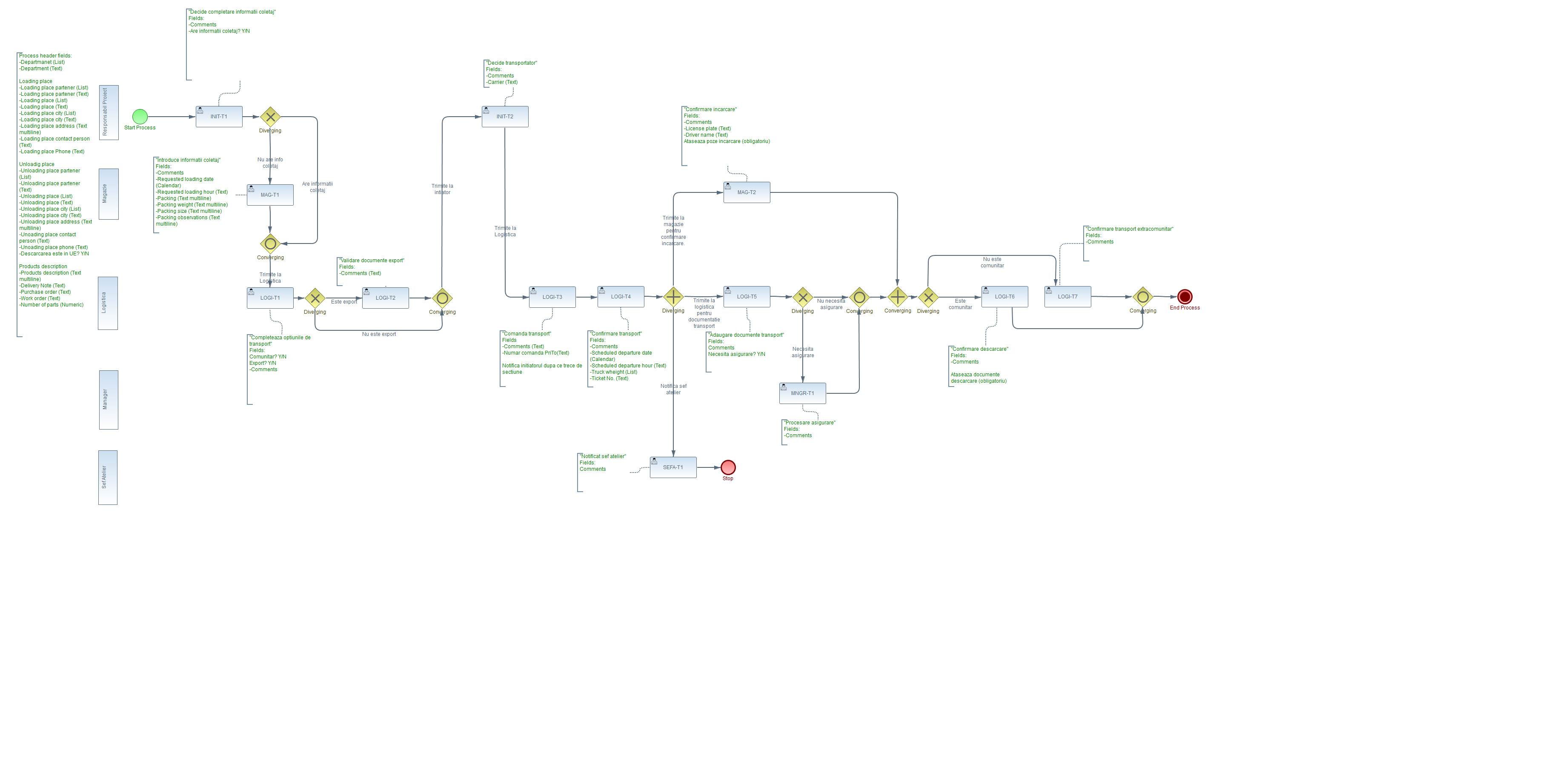
Open the diagram to view it at full resolution. Diagram annotations are retained from the original document.